Introduction
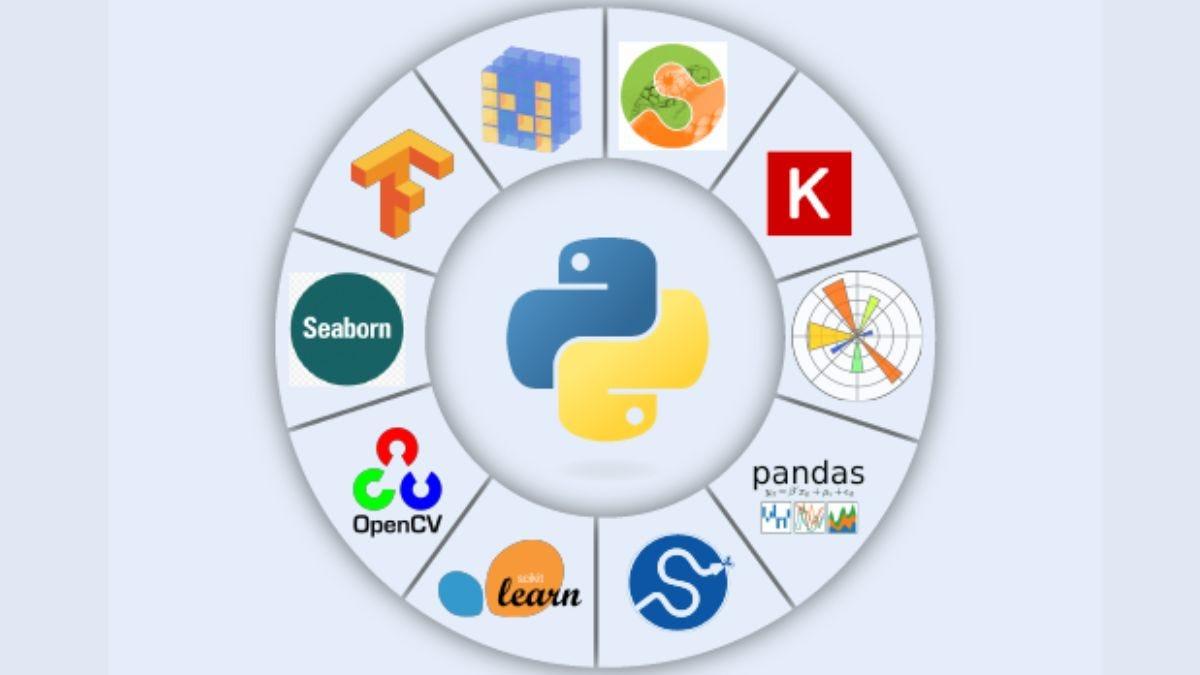
Python has become one of the most popular programming languages for data analysis due to its simplicity, versatility, and extensive ecosystem of libraries. This guide will walk you through the process of using Python for data analysis, covering key libraries, functionalities, and practical examples to help you get started and enhance your data analysis skills.
Introduction to Python for Data Analysis
Python is a high-level programming language known for its readability and ease of use. It is widely used in data analysis due to its powerful libraries that simplify the process of data manipulation, statistical analysis, and visualization. Whether you are a beginner or an experienced analyst, Python offers tools and techniques to extract meaningful insights from data.
Key Python Libraries for Data Analysis
Pandas
Pandas is a fast, powerful, and flexible open-source data analysis and data manipulation library
built on top of the Python programming language.
1. Core Functionalities:
o DataFrame and Series: The primary data structures for data manipulation.
o Data I/O: Reading and writing data from various file formats (CSV, Excel, SQL, JSON).
o Data Cleaning: Handling missing data, filtering, merging, and reshaping datasets.
2. Basic Operations:
o Loading Data:
import pandas as pd
df = pd.read_csv('data.csv')o Inspecting Data:
python
Copy code
df.head() # Display the first 5 rows
df.info() # Display concise summary of the DataFrame
df.describe() # Generate descriptive statistics
o Data Manipulation:
df['new_column'] = df['existing_column'] * 2 # Create a new column
df.drop(columns=['column_to_drop'], inplace=True) # Drop a column
NumPy
NumPy is the fundamental package for scientific computing with Python. It provides support for
large multidimensional arrays and matrices, along with a collection of mathematical functions to
operate on these arrays.
1. Core Functionalities:
o Array Operations: Efficient operations on arrays of any size.
o Mathematical Functions: A wide range of mathematical functions for array
operations.
o Random Sampling: Functions for generating random numbers and random sampling.
2. Basic Operations:
o Creating Arrays:
import numpy as np
arr = np.array([1, 2, 3, 4, 5])
o Array Operations:
arr2 = arr * 2 # Element-wise multiplication
arr_sum = np.sum(arr) # Sum of array elements
Mathplotlib
Matplotlib is a comprehensive library for creating static, animated, and interactive visualizations in
Python.
1. Core Functionalities:
o Plotting: Creating a wide variety of plots and charts.
o Customization: Extensive options for customizing plots.
o Interactive Plots: Integration with interactive environments like Jupyter notebooks.
2. Basic Operations: o Creating a Plot:
import matplotlib.pyplot as plt
plt.plot([1, 2, 3, 4], [1, 4, 9, 16])
plt.xlabel('x-axis')
plt.ylabel('y-axis')
plt.title('Sample Plot')
plt.show()
Seaborn
Seaborn is a Python visualization library based on Matplotlib that provides a high-level interface for
drawing attractive and informative statistical graphics.
1. Core Functionalities:
o Statistical Plots: Creating informative statistical visualizations.
o Themes: Built-in themes for improving the aesthetics of plots.
o Integration with Pandas: Works seamlessly with Pandas DataFrames.
2. Basic Operations:
o Creating a Plot:
import seaborn as sns
sns.set(style="darkgrid")
tips = sns.load_dataset("tips")
sns.scatterplot(x="total_bill", y="tip", data=tips)
Scikit-learn
Scikit-learn is a free software machine learning library for the Python programming language. It
features various classification, regression, and clustering algorithms, including support vector
machines, random forests, gradient boosting, k-means, and DBSCAN.
1. Core Functionalities:
o Model Training: Tools for training machine learning models.
o Model Selection: Functions for selecting and tuning models.
o Preprocessing: Tools for preprocessing data before modeling.
2. Basic Operations:
o Training a Model:
from sklearn.model_selection import train_test_split
from sklearn.linear_model import LinearRegression
X = df[['feature1', 'feature2']]
y = df['target']
X_train, X_test, y_train, y_test = train_test_split(X, y, test_size=0.2, random_state=42)model = LinearRegression()
model.fit(X_train, y_train)
predictions = model.predict(X_test)
Practical Examples of Data Analysis with Python
Example 1: Analyzing Sales Data
1. Loading Data:
import pandas as pd
sales_data = pd.read_csv('sales_data.csv')
2. Data Cleaning:
sales_data.dropna(inplace=True) # Remove missing values
3. Data Exploration:
sales_data.describe() # Get summary statistics
sales_data['Product'].value_counts() # Count of products sold
4. Visualization:
import matplotlib.pyplot as plt
sales_data.groupby('Product')['Sales'].sum().plot(kind='bar')
plt.title('Total Sales by Product')
plt.xlabel('Product')
plt.ylabel('Total Sales')
plt.show()
5. Advanced Analysis:
from sklearn.linear_model import LinearRegression
X = sales_data[['Marketing Spend', 'Store Visits']]
y = sales_data['Sales']
model = LinearRegression()
model.fit(X, y)
sales_predictions = model.predict(X)
Example 2: Customer Segmentation
1. Loading Data:
customer_data = pd.read_csv('customer_data.csv')
2. Data Cleaning:
customer_data.fillna(customer_data.mean(), inplace=True) # Impute missing values
3. Data Exploration:
sns.pairplot(customer_data[['Age', 'Income', 'Spending Score']])
4. Clustering:
from sklearn.cluster import KMeans
kmeans = KMeans(n_clusters=3)
customer_data['Cluster'] = kmeans.fit_predict(customer_data[['Age', 'Income', 'Spending Score']])
5. Visualization:
sns.scatterplot(x='Income', y='Spending Score', hue='Cluster', data=customer_data, palette='viridis')
Best Practices for Data Analysis with Python
Data Understanding
1. Domain Knowledge: Understand the domain and context of the data.
2. Data Types: Identify the types of data (categorical, numerical, ordinal) and handle them
appropriately.
Data Cleaning
1. Handle Missing Values: Decide whether to drop or impute missing values.
2. Remove Duplicates: Ensure no duplicate records skew the analysis.
Data Exploration
1. Summary Statistics: Use descriptive statistics to get an overview of the data.
2. Visual Exploration: Use visualizations to identify patterns and anomalies.
Model Building
1. Feature Engineering: Create new features that can help improve model performance.
2. Model Selection: Choose the right model based on the problem type and data
characteristics.
Model Evaluation
1. Cross-Validation: Use cross-validation to ensure the model generalizes well to unseen data.
2. Metrics: Evaluate the model using appropriate metrics (e.g., accuracy, precision, recall for
classification; RMSE for regression).
Visualization
1. Clear Visuals: Ensure your visualizations are clear and easy to interpret.
2. Interactive Plots: Use interactive plots to allow deeper exploration of the data.


 by Aqib Chaudhary