Introdunction
Designing for accessibility ensures that digital products and environments are usable by everyone,
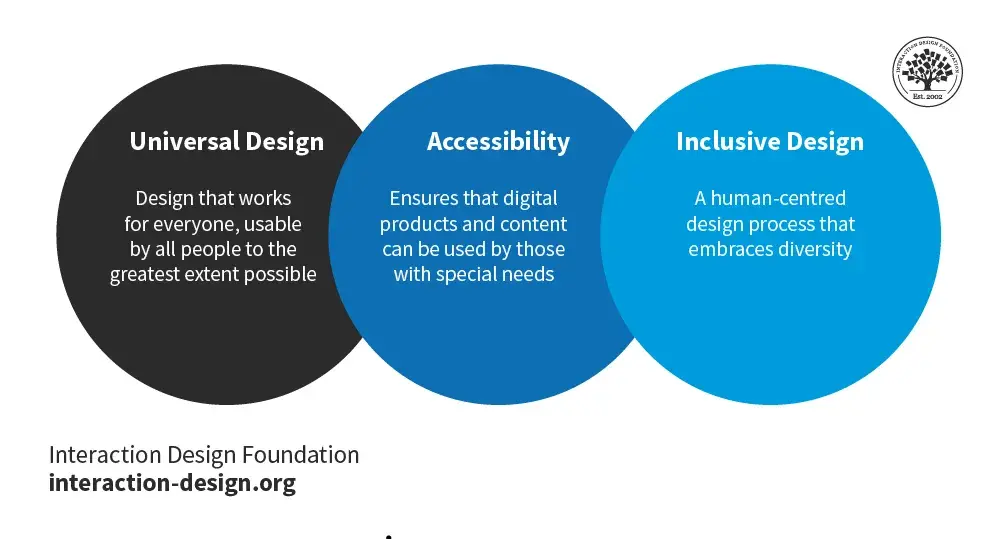
regardless of their abilities or disabilities. Inclusive design goes beyond legal compliance, aiming to
provide a better user experience for all users. This guide delves into the principles of accessible
design, practical techniques, and best practices to create inclusive digital experiences.
Introduction to Accessible Design
Accessibility in design refers to the practice of making websites, applications, and digital content
usable by as many people as possible, including those with disabilities. This involves considering the
needs of users with visual, auditory, motor, and cognitive impairments. Inclusive design extends
this approach, aiming to create products that are accessible and usable by a diverse range of people.
Importance of Accessible Design
Legal Compliance
Many countries have laws and regulations requiring digital accessibility, such as the Americans with
Disabilities Act (ADA) in the United States and the Web Content Accessibility Guidelines (WCAG)
internationally.
1. Avoid Legal Issues: Ensuring accessibility helps avoid legal penalties and lawsuits.
2. Meeting Standards: Complying with WCAG and other standards ensures your digital
products are accessible to all.
Ethical Responsibility
Creating accessible designs is ethically responsible and demonstrates a commitment to inclusivity.
1. Equal Access: Providing equal access to information and services is a fundamental right.
2. Corporate Social Responsibility: Companies that prioritize accessibility show they value
diversity and inclusion.Business Benefits
Accessible design can lead to broader audience reach, improved user experience, and enhanced
brand reputation.
1. Wider Audience: Accessible websites can reach a larger audience, including people with
disabilities.
2. Enhanced Usability: Accessible design principles often lead to better overall usability for all
users.
3. Positive Brand Image: Commitment to accessibility enhances brand reputation and
customer loyalty.
Key Principles of Accessible Design
Perceivable
Information and user interface components must be presentable to users in ways they can perceive.
1. Text Alternatives: Provide text alternatives for non-text content (e.g., images, videos).
o Example: Use alt text for images to describe their content.
<img src="image.jpg" alt="Description of the image">
2. Captions and Transcripts: Offer captions for videos and transcripts for audio content.
o Example: Use closed captions for video content to make it accessible to users with
hearing impairments.
3. Adaptable Content: Create content that can be presented in different ways without losing
meaning.
o Example: Use semantic HTML to ensure content is structured and can be interpreted
by assistive technologies.
Operable
User interface components and navigation must be operable.
1. Keyboard Accessibility: Ensure all functionality is available from a keyboard.
o Example: Use keyboard-friendly navigation, such as tabindex for focusable elements.
<button tabindex="0">Click Me</button>
2. Captions and Transcripts: Offer captions for videos and transcripts for audio content.
o Example: Use closed captions for video content to make it accessible to users with
hearing impairments.
3. Adaptable Content: Create content that can be presented in different ways without losing
meaning.
o Example: Use semantic HTML to ensure content is structured and can be interpreted
by assistive technologies.
Operable
User interface components and navigation must be operable.
1. Keyboard Accessibility: Ensure all functionality is available from a keyboard.
o Example: Use keyboard-friendly navigation, such as tabindex for focusable elements.
html
Copy code
<button tabindex="0">Click Me</button>
2. Navigable: Provide ways to help users navigate, find content, and determine where they are.
o Example: Use clear headings, landmarks, and consistent navigation.
3. Input Methods: Support multiple input methods beyond the mouse, such as touch and
voice. o Example: Design for touch interfaces and ensure voice commands can navigate the
site.
Understandable
Information and the operation of the user interface must be understandable.
1. Readable Text: Make text content readable and understandable.
o Example: Use simple language, clear fonts, and adequate spacing.
2. Predictable Navigation: Ensure navigation is consistent and predictable.
o Example: Keep navigation menus in the same place on all pages and use clear labels.
3. Input Assistance: Help users avoid and correct mistakes.
o Example: Provide error messages and suggestions for form inputs.
<span id="emailHelp">Enter a valid email address.</span>
Robust
Content must be robust enough to be interpreted reliably by a wide variety of user agents,
including assistive technologies.
1. Compatible Code: Use clean, valid HTML and CSS to ensure compatibility with assistive
technologies.
o Example: Validate your code to avoid errors that might hinder accessibility.
<!DOCTYPE html>
<html lang="en">
<head>
<meta charset="UTF-8">
<title>Accessible Site</title>
</head>
<body>
<!-- Content here -->
</body>
</html>
. Assistive Technology Support: Ensure your site works well with screen readers, magnifiers,
and other assistive technologies.
o Example: Test your site with various assistive technologies to ensure compatibility.
Practical Techniques for Accessible Design
Use Semantic HTMLSemantic HTML provides meaning to the content, which helps assistive technologies understand
and navigate the site.
1. Headings: Use proper heading levels ( h1 to h6 ) to structure your content.
Example:
<header>Site Header</header>
<nav>Main Navigation</nav>
<main>Main Content</main>
<footer>Site Footer</footer>
Ensure Color Contrast
Adequate color contrast ensures that text is readable for users with visual impairments.
1. Contrast Ratio: Use a contrast ratio of at least 4.5:1 for regular text and 3:1 for large text.
o Example: Use online tools like WebAIM’s Contrast Checker to test color
combinations.
2. Avoid Color Alone: Do not rely on color alone to convey information.
o Example: Use text labels or patterns in addition to color to indicate different sections
or statuses.
Provide Accessible Forms
Forms should be accessible to all users, including those using screen readers or keyboard navigation.
1. Labels: Associate labels with form inputs using the for attribute.
o Example:

<label for="name">Name:</label>
<input type="text" id="name" name="name">
2. Fieldsets and Legends: Use <fieldset> and <legend> to group related form controls.
o Example:
<fieldset>
<legend>Personal Information</legend>
<label for="email">Email:</label>
<input type="email" id="email" name="email">
</fieldset>
3. Error Messages: Provide clear and accessible error messages.
o Example:
<input type="password" aria-describedby="passwordHelp">
<span id="passwordHelp">Password must be at least 8 characters long.</span>
Tools for Accessible Design
WAVE (Web Accessibility Evaluation Tool)
Features: Identifies accessibility issues and provides feedback on web content.
Use Case: Ideal for evaluating the accessibility of web pages.
Axe Accessibility Checker
Features: Browser extension that analyzes web pages for accessibility issues.
Use Case: Suitable for developers to test and debug accessibility problems.
Color Contrast Checker
Features: Online tools to check color contrast ratios.
Use Case: Ensures that color combinations meet accessibility standards.
Screen Readers
Popular Tools: JAWS, NVDA, VoiceOver.
Use Case: Test your site with screen readers to ensure compatibility and accessibility for
visually impaired users.
Real-World Case Studies
Microsoft
1. Overview: Microsoft has integrated accessibility into all its products, demonstrating a strong
commitment to inclusive design.
2. Design Elements: Use of semantic HTML, high contrast modes, and extensive keyboard
navigation support.
3. Impact: Enhanced user experience for people with disabilities, leading to broader adoption
and positive brand perception.
Apple
. Overview: Apple’s focus on accessibility is evident in its hardware and software, including
features like VoiceOver and dynamic text.
2. Design Elements: Consistent use of accessible design principles across devices and
applications.
3. Impact: Increased usability for all users, particularly those with disabilities, reinforcing
Apple’s reputation for innovation and inclusivity.
Airbnb
1. Overview: Airbnb has made significant strides in making its platform accessible, with
features designed for users with disabilities.
2. Design Elements: Accessible forms, clear navigation, and comprehensive alt text for images.
3. Impact: Improved usability and inclusivity, making it easier for all users to find and book
accommodations.
Best Practices for Maintaining Accessible Design
Regular Audits
Conduct regular accessibility audits to ensure ongoing compliance and identify areas for
improvement.
1. Automated Tools: Use automated tools like WAVE and Axe for regular checks.
2. Manual Testing: Perform manual testing with real users, including those with disabilities.
Continuous Learning
Stay updated with the latest accessibility standards and best practices.
1. WCAG Updates: Follow updates to the Web Content Accessibility Guidelines (WCAG).
2. Training: Participate in accessibility training and workshops to keep skills sharp.
Inclusive Culture
Foster an inclusive culture within your organization that prioritizes accessibility.
1. Team Awareness: Educate your team about the importance of accessibility and inclusive
design.
2. Inclusive Practices: Encourage inclusive design practices at every stage of the design and
development process.


 by Aqib Chaudhary